
Weather Forecast App
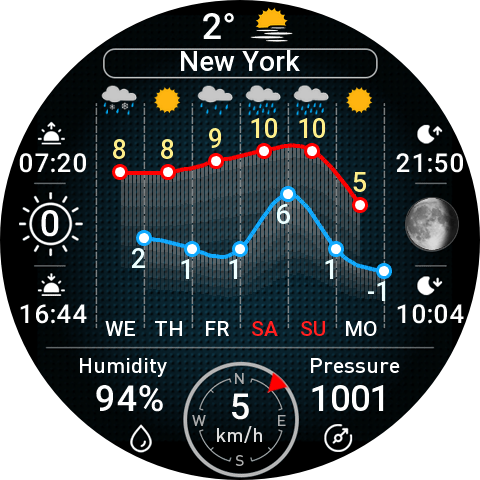
Application: Weather forecast (weather informer)
Language support (auto-detection): Russian / English
Latest version: 1.4.0
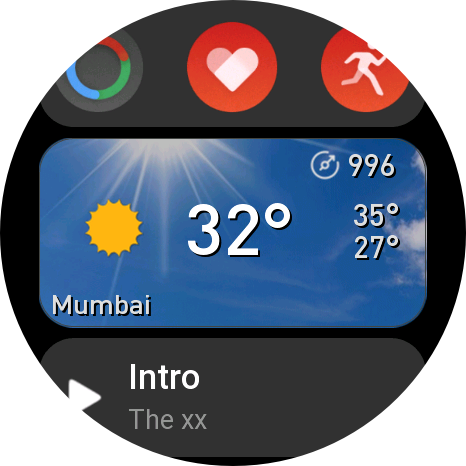
Weather forecast app with temperature charts and additional information and shortcut cards.
Tap the pressure to switch the units of measurement: mmHg / hPa (the selection is saved).
Tap on the name of the city to switch the theme: dark / light.
Tap on the indicators to display additional information and hints.
Tap on the wind to display information about wind force.
Tap on the charts to open daily weather forecast.
To exit the application, swipe from left to right or press on the digital crown of the watch.
Installation
Currently, the app is available for installation in the Zepp app store (v1.1.6).
Also the application can be installed from the Zepp App on your phone in developer mode by scanning the QR code
Round watches v1.4.0
(GTR4, Balance, Balance 2, T-Rex3, T-Rex3 Pro, Active 2)
Square watches v1.4.0
(GTS4 / Bip 6 / Active 2 Square)

Note. The application uses a custom font, so after the update, you need to restart the watch, if some information is not displayed.
amazfit
free
app
gtr4
balance
gts4
balance 2
t-rex3 pro
bip 6
active 2
If some data is not displayed in the application, you just need to restart the watch.
The application uses an external custom font, and in some cases the font cache may go bad (e.g. after the update app). Rebooting solves this problem.
In fact, the wind force is displayed in points on the Beaufort scale, I will fix this in the next update.
Yes I understand
so I restart the watch
Thank you for your reply, I will wait for an update with new features
other useful applications for GTR 4 LE would also please :)