
Colored Time

A simple dial with a large clock and additional information.
• Tap on the date to open the calendar.
• Tap on the temperature to open the weather or Weather Forecat App.
• Tap on the activity (steps, pulse,...) to switch to the next one. You can also rotate the digital crown to switch activity. A long tap opens the corresponding activity screen.
• Double tap on the gear to adjust the color.
• Long press on the gear to open the dial settings: colors, tap zones, the list of switchable activities and barometer units can be adjusted.
• Triple tap on the gear to lock all tap zones. Long tap on the "lock" to unlock tap zones.
• Automatic detection of the dial language - Russian or English.
• Automatic detection of the dial time format - 12 or 24h.
GTR4:
zip
Colored_Time_0.7.zip94.56 Kb
QR code for Balance users:
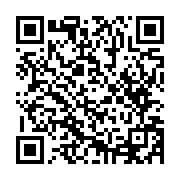
QR code for T-Rex3 users:

Falcon:
zip
Colored_Time_0.6_falcon.zip97.73 Kb
T-Rex 2:
zip
Colored_Time_0.7_trex2.zip94.03 Kb
GTR Mini:
zip
Colored_Time_0.6_gtr-mini.zip98.39 Kb
gtr4
free
watchface
t-rex3
balance
t-rex2