
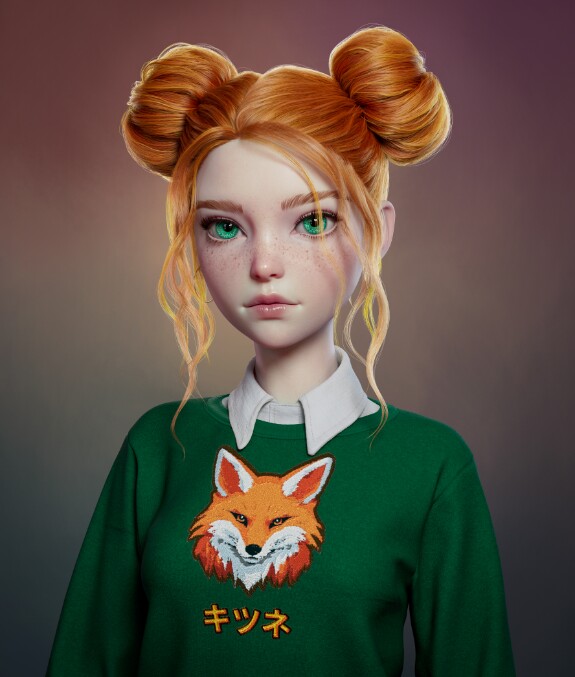
New artwork! Kitsune
Maya scene with this hairstyle available for download in the post above 👆
https://www.artstation.com/artwork/OvPxgK
https://www.artstation.com/artwork/OvPxgK
art
demo video

Sơn Bùi Xuân
Could you create a demo file for applying Ahoge to make a short hairstyle?
Jan 14 2025 12:07

Sơn Bùi XuânReplying to Ahoge
Ahoge, Yes, this is exactly what I’ve been looking for. I hope that in the future, Ahoge can also support very short hairstyles like this. It would be amazing as a replacement for Xgen. Xgen is good, but it’s prone to errors, and I’m sure you understand how frustrating that can be. That’s the only annoyance with Xgen, LOL.
Jan 17 2025 05:54

Hiep Nguyen TheReplying to Sơn Bùi Xuân
Sơn Bùi Xuân, dùng oke ko bro
Feb 24 2025 13:58 
1

Anna Müller
Hi! I am new in this world. Thank you for your plugin, looks amazing! I want to practice because love making hair, actually I am seeing xgen tutorials, but I see your tutorial and I want to try it. But I have a question, if I pay the subscription, can I have the maya scenes of which hairstyles? Can I know before paying which ones come with it? Includes the bonds one, or ponytales? I am trying with planes and cylinders but I am not sure how works, sorry but I am learning. I hope learn a lot with your help. Thank you!
May 29 2025 19:42

Ahoge
Anna Müller, the posts with the tag "hairstyle file" have Maya scenes in them https://boosty.to/ahoge?postsTagsIds=13704493 Here is the "double bun" one
https://boosty.to/ahoge/posts/eae0154e-3c44-4a97-a464-27ecaf6c3628 for example. This one is free
https://boosty.to/ahoge/posts/a1736a03-d0f9-4961-a9b1-cf062789153c There's also this option https://www.artstation.com/marketplace/p/76J60/girls-hairstyles-ahoge-plugin-maya-2023-2026?utm_source=artstation&utm_medium=referral&utm_campaign=homepage&utm_term=marketplace Hopefully, there will be more hairstyles soon.
May 29 2025 20:14
1
Anna Müller
Thank you so much for your quick answer, I´ll buy it to practice! I wish to improve a lot hehe.
May 30 2025 12:02 

1

Uttkarsh Chambiyal
when i am pressing create its not working can you tell me why?
Jun 27 2025 13:32
Ahoge
Uttkarsh Chambiyal, you need to select a NURBS surface first. You can connect NURBS surfaces after you created an Ahoge node.
Jun 27 2025 22:59