
Release 1.7.53: full resource browser and a new remote window inspector
1. A fully completed module for working with a remote process's resources.
There is no longer a need to manually browse every library used by the process to find a specific resource (an image, for example).
This mode — triggered with Ctrl+R (or via the menu View → Show Resources...):
This mode — triggered with Ctrl+R (or via the menu View → Show Resources...):
- Groups all resource-bearing modules of the process into a tree
- Enables quick filtering by resource type, provides previews known resource types
- Lets you export a resource to disk in various formats.
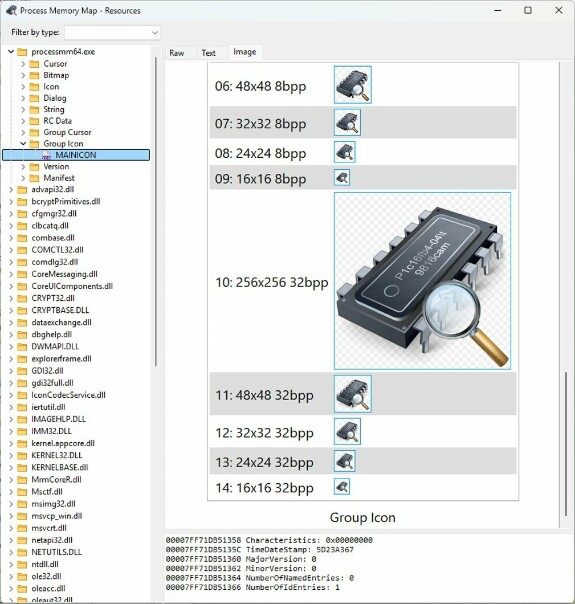
Preview:
Among graphic resources, the following formats are supported for preview: BMP, ICON, CURSOR, PNG, JPEG, GIF, WMF, TIFF, SVG.
SVG uses a custom renderer built on the Image32 framework.
For RT_GROUP_CURSOR and RT_GROUP_ICON types, a separate generator renders the entire image group as a single image.
Animated RIFF containers are supported: AVI, ANIICON, ANICURSOR.
Standard resource types are decoded into an RC script: RT_VERSION, RT_STRING, RT_ACCELERATOR, RT_MENU, RT_DIALOG.
The RT_MESSAGETABLE resource is decoded into an intermediate string representation.
All other resources are processed by an analyzer that detects string data in UTF8, UTF16, UTF16BE, and ANSI encodings and displays it as plain text.
There are also three dedicated decoders for Delphi/Lazarus-specific resources: DVCLAL, PackageInfo, and DFM.
SVG uses a custom renderer built on the Image32 framework.
For RT_GROUP_CURSOR and RT_GROUP_ICON types, a separate generator renders the entire image group as a single image.
Animated RIFF containers are supported: AVI, ANIICON, ANICURSOR.
Standard resource types are decoded into an RC script: RT_VERSION, RT_STRING, RT_ACCELERATOR, RT_MENU, RT_DIALOG.
The RT_MESSAGETABLE resource is decoded into an intermediate string representation.
All other resources are processed by an analyzer that detects string data in UTF8, UTF16, UTF16BE, and ANSI encodings and displays it as plain text.
There are also three dedicated decoders for Delphi/Lazarus-specific resources: DVCLAL, PackageInfo, and DFM.
Saving:
Resources can be saved in three formats:
- as a native RES file — this mode also lets you merge resources from several modules into one file
- as a decoded representation (text, image, or RC file). When exporting an RT_GROUP_CURSOR or RT_GROUP_ICON resource, a single file containing all images in the group is created
- as the original byte array (*.BIN), exactly as the resource is stored in the file
Filtering:
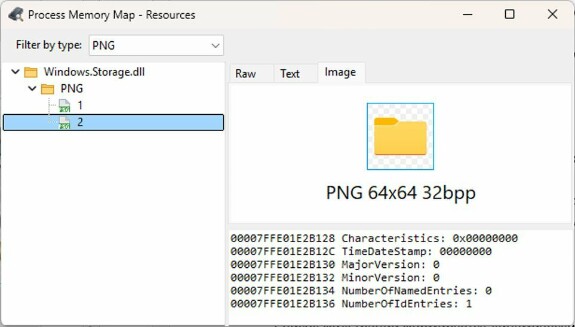
The filter list is built dynamically from all unique resource types present in the process. For example, if you're looking for a resource that is a PNG image, you can set the filter to PNG, and the tree will show only the modules that contain that resource type.
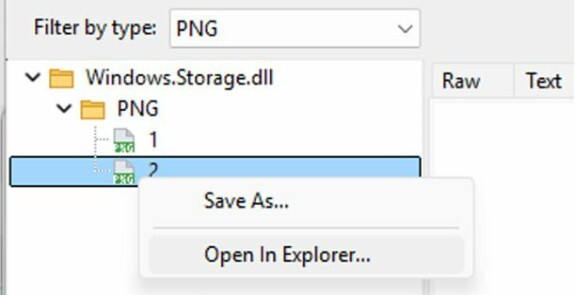
If a file's resources need to be handled with other tools, its location can be quickly opened in Explorer via the context menu.
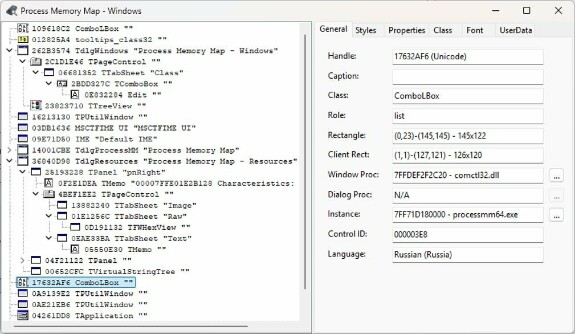
2. A new mode for working with a remote process's windows.
This mode is an enhancement of the idea originally implemented by J.Brown in WinSpy++. Unlike the original 32-bit utility, which could only function correctly with 32-bit processes (due to OS limitations regarding the creation of remote threads across processes of different bitness), this mode provides full information regardless of the target process's bitness.
Key differences from the original utility:
- The set of known window styles has been significantly expanded (the total number of styles has increased by approximately 50%).
- Detecting the window type now falls back to the class name, with primary detection switched to the IAccessible interface.
- To retrieve information about GWL_WNDPROC, DWL_DLGPROC, and GWL_HINSTANCE, which are restricted at the OS level, the tool dynamically builds shellcode and injects it into the remote process, using a memory-mapped file (MMF) wrapper to transfer information for all windows at once. To access 32-bit processes, it uses IPC through a 32-bit instance of PMM to work around OS-level restrictions.
- The biggest advantage: you can jump straight to the address of a window or dialog procedure by clicking the button next to the address, and continue examining the code from there.
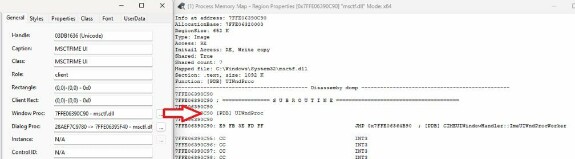
5. Additional features: window font information is now displayed, and the UserData array information has been slightly expanded.
The next release is planned for late September or early October. It will add a new type of debug information (PDB) for more convenient work with system libraries.