creator cover NeFeroN
NeFeroN

NeFeroN 

Meow

5subscribers

3posts

About

Помощь с Прошитием и Раскирпичиванием телефонов
Help with Flashing and Unbricking

Script Update

Finished adding a new feature:
- Unpacking payload.bin and auto moving images into their folders so that the firmware can be flashed immediately afterwards.

All you need is:
- Place Payload.bin file into:
FastbootFirmwareFlasher\PAYLOAD directory
- Open script, press [7] and wait till Payload is unpacked
zip
FastbootFirmwareFlasherV3.zip64.47 Mb
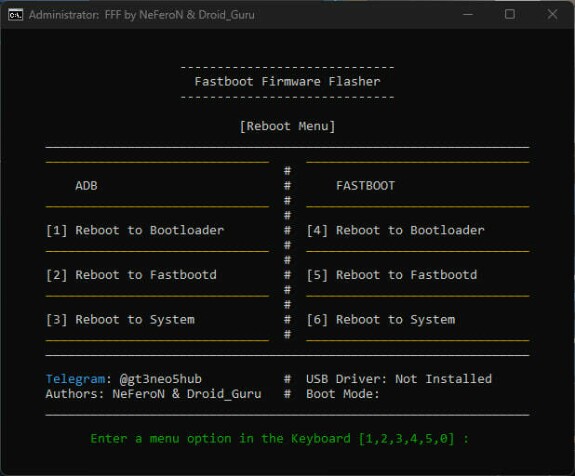
Fastboot Firmware Flasher

Description:
I've revised the script, both the driver installation and the flashing method.
• No need to perform a Wipe before flashing.
• No need to delete COW.
• No need to keep track of slots.
• No more errors during image flashing.
•  Now, driver installation first removes all old Android drivers and then installs new ones.
• Added a menu for flashing boot.img and recovery.img. Each has its own folder, where you need to place the necessary images in advance.
• All of this does not negate the need to read what is written during the script execution! Read the yellow text and do not ignore it! Use a translator if you do not understand what is written!
Preparation:
1. Download the archive and extract the FastbootFirmwareFlasher folder to the desktop or Disk C.
2. Connect the phone to the PC and select "File transfer."
3. Run the Flasher_Plus.bat script.
Installation methods:
- Clean flash:

1. [2] Driver installation. It will remove all old and install new drivers. Then reboot phone into bootloader and FastbootD.
2. [3] Start flashing the firmware.
3. The process is divided into two stages. The second stage begins after rebooting into FastbootD. However, before starting the second stage, the script will wait and ask if the phone has booted into FastbootD, with the option to answer Y/N. The choice is made based on whether your phone has booted from the Bootloader to FastbootD or not.
- After the flashing process is complete, select English and Format Data on the phone screen.
i can't not run help
boxemay đobtay, this tool is outdated. There is newer https://t.me/gt3neo5hub/521/343033
Attention!
Phone must be on Chinese Android 13 firmware!
After unlocking, all data from the phone will be erased!
Everything you do, you do at your own peril and risk!
Let's get started:
1. Download and install the Deep Test application for GT5:
apk
GT5-DeepTesting.apk6.74 Mb
And download this apk, it will be required later:
apk
DeepTesting_old.apk4.35 Mb
2. Log in to your HeyTap account (Yes, realmi added a new item, this was not necessary before);
3. Go to “Settings” → “About Device” → “Version”, click “Build Number” 7 times to open Developer Mode;
4. Go to “Settings” → “Advanced Settings” → “For Developers”, and turn on the “Factory unlocking” option, aka OEM unlocking;
5. Translate the system language to English and launch the GT5 Deep Test application.
6. In the window that opens, click on Apply button, then check the box and click on the green button again. An inscription and a number will appear in the last window. This number means when you will receive permission to unlock the bootloader. That's it, at this point we press the green button again and wait for the appointed day.
Subscription levels0
No subscription levels
Go up