
Declasse Impaler LE Pack
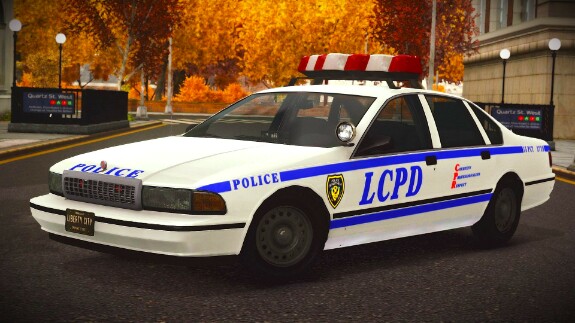
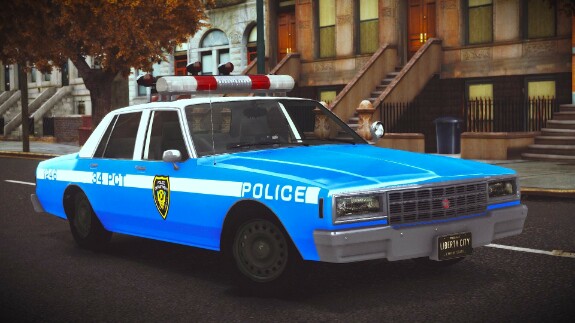

Declasse Impaler LE Pack [Addon \ Moving Steering Wheel \ 4 Liveries \ LQ]
"For most locals of Liberty City, a town entangled with crime, corruption and terrorism, a natural cataclysm such as a citywide storm was nothing but a mere obstacle to overcome in their daily life. But for the municipal services, it was a golden ticket to the much sought-after government payday. Billions of dollars later, the services were back in action. Coppers dying like roaches and others doing trivial tasks nobody cares about - but this time in new shiny vehicles. Money well spent? Unlikely. Money well laundered? For the chosen few - you bet. Welcome to the jungle. Again."
Original model: Monkeypolice188;
Car control settings: Dmitry Pavlov;
Porting: Milcin.
Size:
LCPD Declasse Impaler LE
WFT - 950 kb;
WTD - 1325 kb.
LCPD Declasse Impaler LE Classic
WFT - 1336 kb;
WTD - 1016 kb.
Taxi Declasse Impaler LE
WFT - 970 kb;
WTD - 1124 kb.
Have a good game!)
rar
Declasse Impaler LE Pack.rar7.67 Mb
By: Milcin7
In bundle
declasse impaler le

FilaUndying Archiwum
Hello, thanks for the models i really love them but i have a question.
Is it normal to not have bullet holes on them? Didn't tried your other conversions yet, but when i shot at any of those three above, no bullet holes were present.
Also im new to that mod loader you use, it's really cool that you don't need to replace OG files anymore, but can you use the same method to REPLACE existing cars? i don't have access to my PC now so and can't check myself, that's why i'm asking here.
I guess you just need to change names of the model, textures and inside of every dat/ide files to do it, am i correct?
(inside the GTA IV > modloader > "car mod folder" > ... ),
Nov 04 2025 13:15 (changed)

Milcin7
FilaUndying Archiwum,
Regarding replacing cars. The answer is yes, you can. I used to add a separate folder for replacing models to the mod folder, but over time I got lazy.)))
Here's an example of instructions for replacing cars:
1. Import files in the IMG archive
Use SparkIV or OpenIV to import the files to vehicles.img" in the archive [GAME FOLDER]\pc\models\cdimages\vehicles.img:
infernus.wft
infernus.wtd
2. Changes in text files
In file [Game folder]\common\data\vehicles.ide
Replace found line with
infernus, infernus, car, INFERNUS, INFERNUS, VEH@LOW, VEH@LOW_INFERNUS, 1, 1, 0.27, 0.27, 0.2, 5, 1.0, 0, sports+ext_all+wheelangle:-19.5074+livery
In file [Game folder]\common\data\handling.dat
Replace found line with
INFERNUS 1250.0 0.34 85 0.0 0.0 -0.34 0.4 7 0.36 2.0 204.79 0.7 0.58 0.9 38 1.65 2.0 15 0.12 0.48 3.5 2.8 2.8 0.05 -0.05 0.0 0.5 2.0 1.0 2.2 2.5 0.0 2875000 400010 1004 1
In file [Game folder]\common\data\carcols.dat
Replace found line with
infernus, 37,102,116, 125,69,115,
Nov 04 2025 13:58 (changed)
1

FilaUndying ArchiwumReplying to Milcin7
Milcin7, Thank you very much for the response :)
Nov 05 2025 00:12 

1


