creator cover Rashn
Rashn

Rashn 

получаю удовольствие от работы

4subscribers

7posts

About

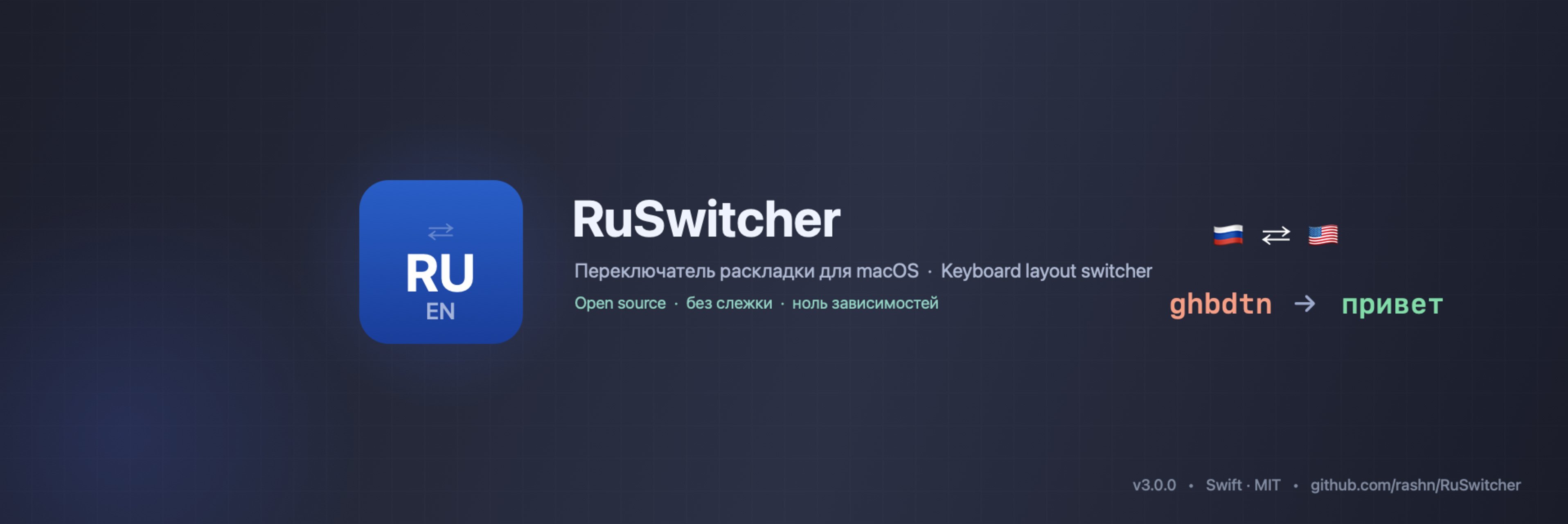
RuSwitcher — free, open-source keyboard layout switcher for macOS.
A lightweight alternative to PuntoSwitcher (which was discontinued). Works with any two keyboard layouts — Russian/English, Ukrainian/English, Belarusian/English, and more.
How it works: Typed in the wrong layout? Just tap ⌥ Alt — and the last word is instantly converted. Tap Alt again to reverse. Works on selected text too.
Features:
  • Supports any two keyboard layouts via dynamic detection
  • 12 interface languages
  • Minimal CPU & memory usage
  • No telemetry, no data collection — fully open source
Your support helps keep this project alive and free for everyone. Thank you! 
🧪 Бета RuSwitcher 3.5.0b
Что нового:
• Автоконверсия может срабатывать и на Enter и Tab, не только на пробеле. Пригодится в адресной строке браузера и в мессенджерах, где слово часто последнее перед отправкой. Настройки → Автоконверсия, по умолчанию выключено: в мессенджере Enter сразу отправляет сообщение вместе с исправленным словом.
• Автозамена сокращений: задаёте "сув" → "С уважением, Иван", и сокращение разворачивается при наборе. Раскладка и регистр не важны.
• Исправление двух заглавных подряд (КОгда → Когда) и явных опечаток: одна соседняя клавиша (тедефон → телефон) и точка или запятая, набранные в русской раскладке между цифрами (1ю8 → 1.8). По умолчанию выключено.
• Имена и названия, которые словарь знает только с заглавной, теперь узнаются: zyltrc → яндекс, fdbnj → авито.
• Исправлен рост памяти при долгой работе.
Как получить: Настройки → Расширенные → "Получать бета-версии (для тестирования)", потом "Проверить обновления". Или DMG со страницы релиза:
https://github.com/rashn/RuSwitcher/releases/tag/v3.5.0b
Если что-то ведёт себя не так, пишите здесь в чате или в issues:
https://github.com/rashn/RuSwitcher/issues
• • •
🧪 RuSwitcher beta 3.5.0b
What's new:
• Auto-conversion can also trigger on Enter and Tab, not only on Space. Handy in the browser address bar and in messengers. Settings → Auto-conversion, off by default: in a messenger Enter sends the message right away, together with the fixed word.
• Abbreviations: set "brgds" → "Best regards, Alex" and it expands as you type. Layout and case don't matter.
• Optional fixes for two capitals in a row (THis → This) and obvious typos (hwllo → hello). Off by default.
• Names the dictionary knows only capitalized are now recognized: zyltrc → яндекс.
• Fixed memory growth during long sessions.
Get it: Settings → Advanced → "Get beta versions (for testing)", then "Check for Updates…". Or the DMG from the release page above.
🎉 RuSwitcher 3.4.0
🇷🇺 Что нового в 3.4.0:
• Иконку в меню-баре теперь можно полностью скрыть (Настройки → Расширенные). Вернуть её или открыть настройки - просто запустите RuSwitcher ещё раз.
• Комбо ⌥+⇧ (Option+Shift) - привычное по Windows Alt+Shift - можно назначить на переключение раскладки, триггер конверсии и смену регистра.
• Раскладка "Русская - ПК": знаки на клавише /? теперь конвертируются правильно (tkrb? → елки,).
• Настройки больше не обрезают длинные подписи - выверено на всех 16 языках интерфейса.
• У нас появился сайт: https://ruswitcher.app
🇬🇧 What's new in 3.4.0:
• The menu bar icon can now be hidden completely (Settings → Advanced). To bring it back or open Settings, just launch RuSwitcher again.
• The ⌥+⇧ (Option+Shift) combo - the familiar Alt+Shift from Windows - can be assigned to layout switching, the conversion trigger and the change-case hotkey.
• "Russian - PC" layout: punctuation on the /? key now converts correctly (tkrb? → елки,).
• Settings no longer clip long labels - verified across all 16 interface languages.
• Our website is live: https://ruswitcher.app
⬇️ https://github.com/rashn/RuSwitcher/releases/tag/v3.4.0
🍺 RuSwitcher принят в официальный каталог Homebrew!
Теперь установка — одна команда, без tap:
brew install --cask ruswitcher
Обновления тоже стандартно: brew upgrade --cask ruswitcher (или встроенный апдейтер, как раньше).
Для попадания в официальный каталог проект должен набрать 225 звёзд на GitHub — и это сделали вы. Спасибо каждому, кто поставил ⭐, писал отзывы и предлагал фичи. Дальше — больше 🚀
🍺 RuSwitcher is now in the official Homebrew catalog!
One command, no tap: brew install --cask ruswitcher. Getting in required 225 GitHub stars — and you made it happen. Thank you! 🚀
🎉 RuSwitcher 3.3.0
🇷🇺 Что нового в 3.3.0:
• Смена регистра по хоткею (как в Punto): отдельный хоткей циклит регистр последнего слова, выделения или всей строки — ВЕРХНИЙ → нижний → Заглавный. По умолчанию выключен (Настройки → Основные).
• Иврит теперь конвертируется в RTL-веб-полях (адресная строка Chrome, WhatsApp Web).
• Подсказка о защищённом вводе больше не крадёт фокус при вводе пароля; можно отключить в «Расширенных».
• Печать быстрее: убраны редкие «фризы», замена слова стала визуально мгновенной.
🇬🇧 What's new in 3.3.0:
• Change-case hotkey (like Punto): a separate hotkey cycles the case of the last word, a selection, or the whole line — UPPER → lower → Title. Off by default (Settings → General).
• Hebrew conversion now works in right-to-left web fields (Chrome address bar, WhatsApp Web).
• The Secure Input notice no longer steals focus while you type a password; can be turned off in Advanced.
• Faster typing: rare freezes eliminated and word replacement is now visually instant.
⬇️ https://github.com/rashn/RuSwitcher/releases/tag/v3.3.0
🪟 RuSwitcher теперь и под Windows — открытая бета!
Та же идея, что и на macOS: исправляет текст, набранный не в той раскладке. Открытый код, без телеметрии.
⬇️ Установка:
• Скачайте RuSwitcher-Setup-0.9.0.exe (установщик) со страницы релиза:
https://github.com/rashn/RuSwitcher/releases/tag/win-v0.9.0
• Есть и portable-версии (x64 / ARM64) — без установки.
• Windows покажет синее окно «Windows protected your PC» — сборка пока без подписи. Нажмите «Подробнее» → «Выполнить в любом случае». Для беты это нормально.
⌨️ Как работает:
• Значок в трее → правый клик → «Settings».
• Триггер по умолчанию — двойной Ctrl. Набрали слово не в той раскладке → дважды нажмите Ctrl → оно превратится в правильное, и раскладка переключится.
• Двойной Ctrl без набора = отменить последнюю конвертацию.
• В настройках: конвертация всей строки, умная конвертация выделения, авто-конвертация при наборе (бета), хоткей смены раскладки, память раскладки по приложению, звук, автозапуск.
🔄 Приложение само проверяет обновления. 🐛 Баги и идеи: https://github.com/rashn/RuSwitcher/issues — или в чате обсуждения.
———
🪟 RuSwitcher is now on Windows — open beta!
Same idea as on macOS: it fixes text typed in the wrong keyboard layout. Open source, no telemetry.
⬇️ Install:
• Download RuSwitcher-Setup-0.9.0.exe (installer) from the release page:
https://github.com/rashn/RuSwitcher/releases/tag/win-v0.9.0
• Portable builds (x64 / ARM64) are also available — no install needed.
• Windows will show “Windows protected your PC” — the build isn't code-signed yet. Click “More info” → “Run anyway”. This is expected for a beta.
⌨️ How it works:
• Tray icon → right-click → “Settings”.
• Default trigger is double-tap Ctrl. Typed a word in the wrong layout? Double-tap Ctrl → it converts and switches the keyboard.
• Double-tap Ctrl with nothing typed = undo the last conversion.
• In settings: whole-line conversion, smart selection conversion, as-you-type auto-conversion (beta), a layout-switch hotkey, per-app layout memory, sound, launch at startup.
🔄 The app checks for updates itself. 🐛 Bugs & ideas: https://github.com/rashn/RuSwitcher/issues — or in the discussion chat.
🎉 RuSwitcher 3.2.0
🇷🇺 **RuSwitcher 3.2.0**
• Сторонние раскладки (Ilya Birman и др.): автопереключение, флаг в меню и у курсора теперь работают.
• «Умная конверсия выделения»: при выделении чинятся только слова не в той раскладке, верный текст и иностранные слова сохраняются.
• Конвертация всей строки, а не только последнего слова — в том числе в терминале (Настройки → Расширенные).
• Слова на клавишах-пунктуации конвертируются: `krf → ёлка, rf;tncz → кажется.
• Spotlight: конверсия без лишней первой буквы.
• Подсказка, когда защищённый ввод (поле пароля, Microsoft Word и т.п.) блокирует триггер — с именем приложения.
• Иврит: исправления регистра и RTL.
• Новое: «Связаться с разработчиком» и поддержка в Telegram — @RuSwitcher.
Установка: DMG ниже, либо `brew install --cask rashn/ruswitcher/ruswitcher`
SHA-256: `009da93d523c0e85c9c6005d568fc6558a2ce4204bb703ea99a621ae6720d011`
🇬🇧 **RuSwitcher 3.2.0**
• Third-party layouts (e.g. Ilya Birman): auto-switch, menu flag and caret flag now work.
• «Smart selection conversion»: converting a selection fixes only the mis-typed words and keeps correct text and foreign words.
• Convert the whole line, not just the last word — including in the terminal (Settings → Advanced).
• Words typed on punctuation keys convert too: `krf → ёлка, rf;tncz → кажется.
• Spotlight: conversion without a stray first letter.
• A hint when Secure Input (a password field, Microsoft Word, etc.) blocks the trigger — naming the app.
• Hebrew: letter-case and RTL fixes.
• New: «Contact the developer» and Telegram support — @RuSwitcher.
Install: the DMG below, or `brew install --cask rashn/ruswitcher/ruswitcher`
SHA-256: `009da93d523c0e85c9c6005d568fc6558a2ce4204bb703ea99a621ae6720d011`
⬇️ https://github.com/rashn/RuSwitcher/releases/tag/v3.2.0
RuSwitcher 3.0
RuSwitcher 3.0 — иврит, RTL и вообще всё, что умеет программа
Level required:
Coffee
Subscription levels1

Coffee

$0.65 per month
☕ Supporter — RuSwitcher stays free & open-source for everyone; you cover the Apple Developer fee and dev time. Release news + priority for your requests. Thank you!
☕ Поддержка — RuSwitcher остаётся бесплатным и открытым для всех; Вы покрываете подписку Apple Developer и время на разработку. Анонсы релизов + приоритет Вашим запросам. Спасибо!
Go up