FREE NORMAL MAPS PACK "CLAY" (SEAMLESS)
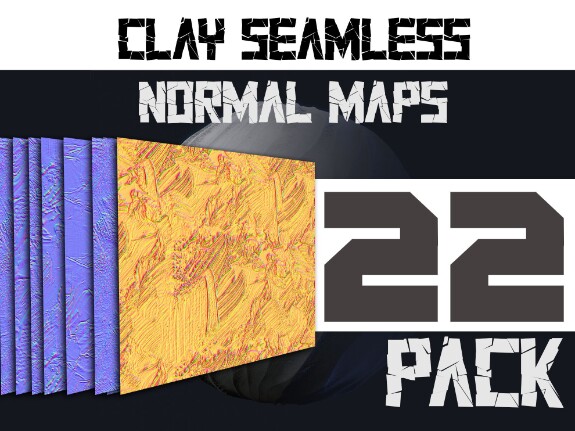
As an addition I made a pack of normal maps that simulate Clay relief. How to apply? - You need a model with a UV map to apply it.
This normal maps also allows you to add another layer of detail to your sculpture.
Due to the fact that the textures are seamless, they can be scaled as much as you like.
To install the pack, simply download it and unzip it to a location convenient for you. Then go to Nomad and select the desired texture. Hope you enjoy this pack.
This normal maps also allows you to add another layer of detail to your sculpture.
Due to the fact that the textures are seamless, they can be scaled as much as you like.
To install the pack, simply download it and unzip it to a location convenient for you. Then go to Nomad and select the desired texture. Hope you enjoy this pack.
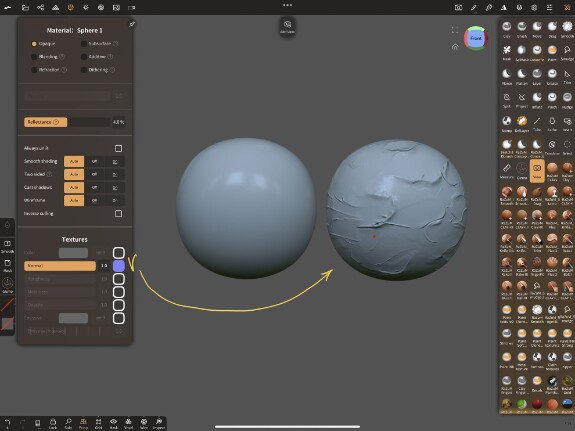
Another example:
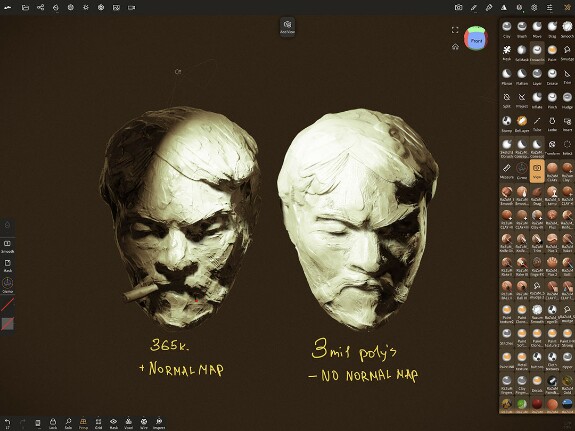
A big plus of normal maps is that they consume less memory, especially noticeable on Android devices, but the downside is that your model needs UV
Download link:
zip
Normal Maps.zip437.46 Mb

fizz Sock
To install these I need to put them into tools folder?
Dec 06 2023 14:46

fizz SockReplying to RaZuM
RaZuM, thanks, where I need to import them? Sorry I'm quite new
Dec 06 2023 16:56

RaZuMReplying to fizz Sock
fizz Sock, You can put them in My Ipad Normal Maps by using Files app (it is default IOS application) and just tap on Zip file to unzip it. And also Check this post with Tutorial about how to Use them:
https://boosty.to/razuminc/posts/f81b0b89-3ea4-4aa2-ba11-07a481b7d888?share=post_link
Dec 06 2023 17:05 (changed)