
Project monetization or a forum designed for everything
Mod Browser — one of distinctive built-in features of Inner Core, it was in engine from beginning. Enter game, install a bunch of mods and with next launch you can enjoy a completely different gaming experience. Horizon has simplified this process, now mods are installed before launch, and in browser itself appeared modpacks.
And all would be well, only browser is not always available, site does not work without VPN, and a whole bunch of problems pop up when publishing. For these, and many other reasons, we restart browser project and present a new Inner Core Mods. This site is far from just about mods.
✦ Brand new site and on what it was built upon
Mod browser, and not only it, is now based on Modrinth, widely known among Java players. This allows us to focus on features instead of building a framework from scratch. And since that's the case, let's take a look at common components and differences.
We should start by searching, this is where a journey to installing mods begins.
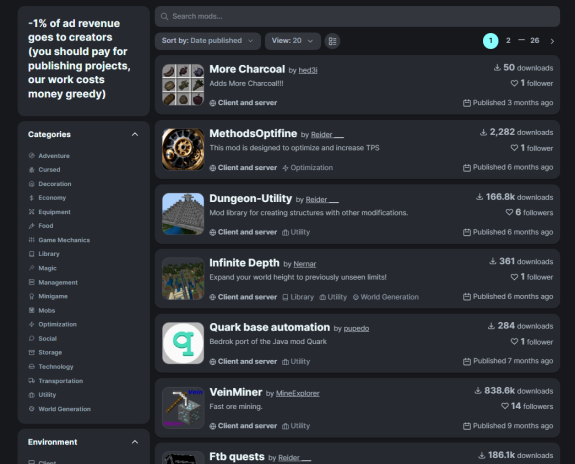
By default, mods are sorted according to following algorithm:
1. If a mod is adapted for multiplayer, it is displayed above others.
2. If a mod is adapted for Horizon, it is displayed above others.
List is split into these two rules, each category is sequentially listed according to following criteria:
1. First 3 mods are most frequently downloaded mods in last month.
2. Next mod is a platform exclusive (to be revealed later).
3. Next 3 mods are those that have recently received updates. Keep in mind that updates are checked by moderation, and if you intentionally spam new versions with no real changes, they may be dropped.
Each category list sequentially repeats sorting in same way until mods run out. No more redaction categories and sorting by favorite mods.
This sorting allows us to cover all mods and support developers who frequently release updates or new mods, as well as exclusives. Exclusives — are projects created specifically for Inner Core, roughly speaking non-ports of mods from other platforms. They are labeled as such by moderation automatically. We will discuss this topic more in documentation.
✦ Search criteria and author pages
Whereas before a single search criterion was a project name, now it consists of many other factors. You should start with same search field but now collecting a lot of other information in addition to name.
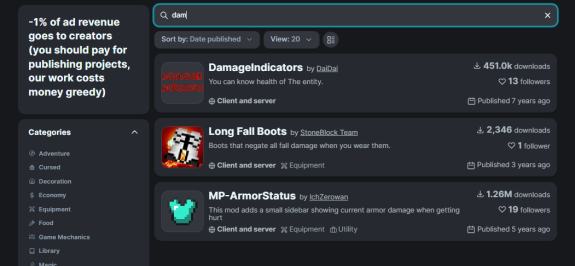
It's convenient and allows people to find your project much faster. Remember tags you used to specify earlier when posting mods? They could indeed sort mods, but literally one category at a time and only from pages of other projects. Now, instead of tags have come categories.
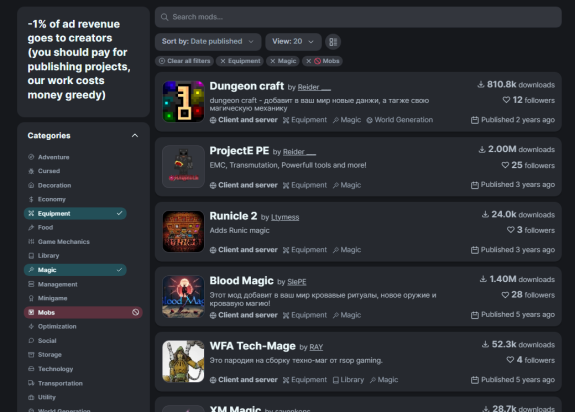
These can be selected when publishing mod, they are locked, and you don't need to search for them anymore. Choose a few at a time when searching, exclude unnecessary and you're done. If you think that there is not enough categories for your needs, you can always contact support and request new ones.
Modpacks have their separate section, before it was only in application, now it's on website as well. By the way, you can switch between list views directly from search bar.
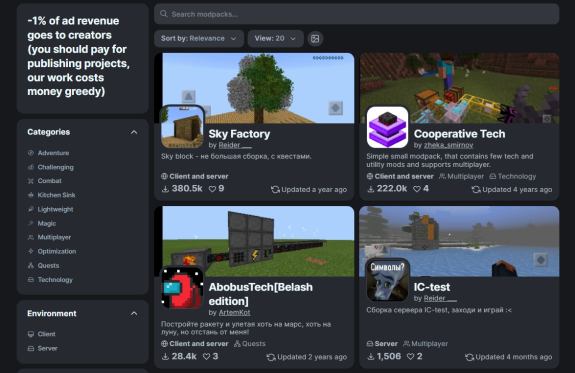
Icons also got a use, before they were simply ignored and were only visible on a website.
Would you like to find mods of a certain author? Now search field searches for projects by author, and author can be opened directly from mods list. There is sorting by project types, as well as statistics, which you need to touch already you personally.

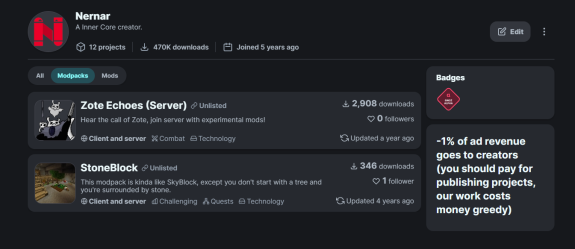
✦ Project pages are more stunning than ever before
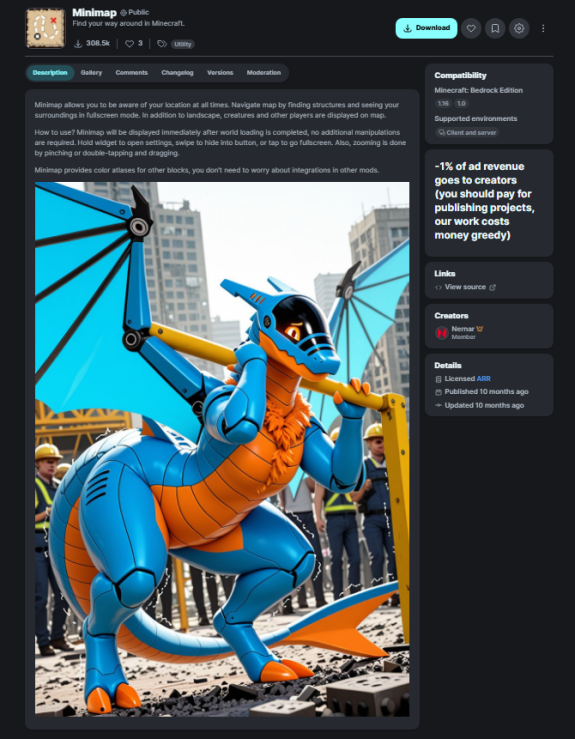
We are coming to biggest change of all — personal page for your mod. Now it can be opened by your mod name, no more identifiers. And it consists of a whole bunch of tabs, each of which you can customize personally for yourself.
You should start with a primary tab — mod description. Now it's almost unlimited in size Markdown document. Use markdown in usual syntax, mark and insert interactive elements directly into description of your project. Images, videos, are stored directly on browser website.
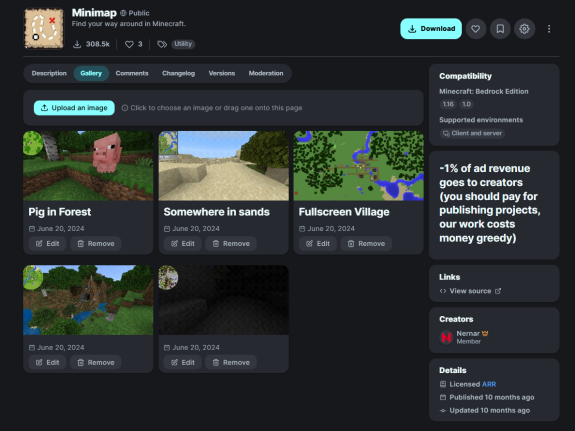
Next in order, but not in importance — mod gallery. Now, each screenshot in it can be signed, quietly relocated or deleted. Also, users can see date when it was published. There may be no screenshots, for example, mod-library, it can put all information in description. Then there will be no tab.
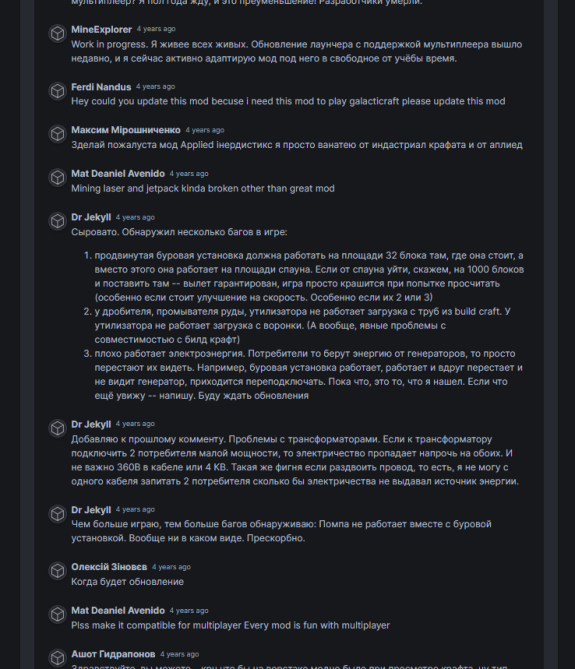
Comments are better than ever. They are unavailable on Modrinth, so we're particularly interested in hearing opinions on their usability. Like many other areas of website, they support Markdown, except for publishing media files.

And their number can be infinitely large, then there will be pages to scroll through. From here you can also open pages of their authors, this option was not available before for some reason.
Last two pages, except for your personal moderation — version history, and directly, versions themselves. Each version can be published in a separate channel, e.g. as an alpha, and will only be downloaded if user originally allowed unstable versions for a mod or downloaded it in advance.
Version history looks like a commit tree on Git, here you can see a list of changes and directly download project.

The versions page, on other hand, gives a list in a much more compact design. You can open a particular version, entire version history is saved on website, and past releases will remain available for download.
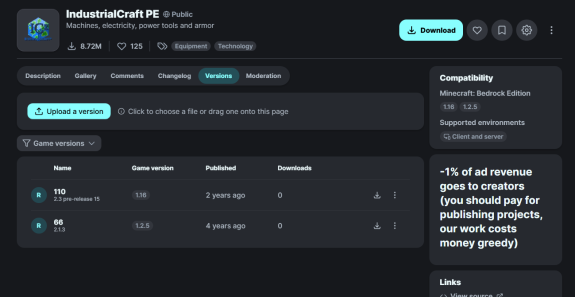
However, you can download latest stable version using download button, which is always located in upper right corner in any of sections. In addition to downloading, you can open project page directly through Horizon.
✦ What I need to do as a modder
Log in to your account with the email previously linked to earlier mod browser. Don't worry, your passwords are not transferred, you will receive a new link in your mail to complete your registration by entering your password. If you can't log in, or your mail was not linked, please contact Inner Core support.
All accounts are transferred automatically, regardless of whether you have mods or not. If there are mods and/or modpacks, they will be immediately displayed in projects tab. You don't need to do anything extra, hidden mods remain hidden; rest are completely transferred with all versions.
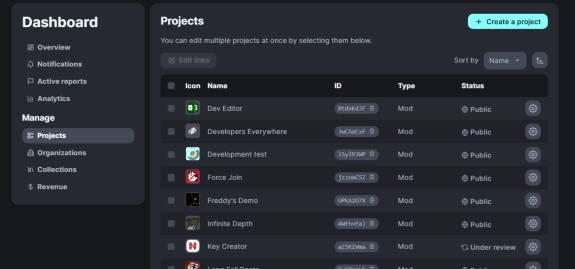
Please note that downloads and likes received earlier on old website are not taken into account in analytics when generating rewards, which will be discussed below.
Rewards, or monetization — a way to encourage modders and website work. Each page displays a small block with advertising, which, depending on what pages user opens, affect rewards for your projects.
Most of this amount is sent directly to developers and will be available for withdrawal through payment services convenient for you. Yes, there was advertising before, but benefit for it was sent exclusively to one person, directly to author of website. This is fundamentally wrong.
✦ When to expect and where to test
At this moment website is in pre-final testing stage, all mod developers will receive instructions on how to migrate to new platform by mail much sooner than the site will actually become available to users. You will be able to check whether your projects have been migrated correctly and make sure that your mods are presented in a proper way, according to your own standards. Or alternatively, delete your account if you're a sophisticated opponent of migration.
Be that as it may, modding on Inner Core continues to evolve, and we need to move forward as well. This website allows us to connect mod portal, forums, and other resources for installing mods and downloading the launcher itself with them. Also note that much of content presented here is subject to change many times.
monetization
platform