creator cover Igor Nevestenko
Igor Nevestenko

Igor Nevestenko 

Me, myself and AI

51subscribers

17posts

About

Architect | CG generalist | Developer 
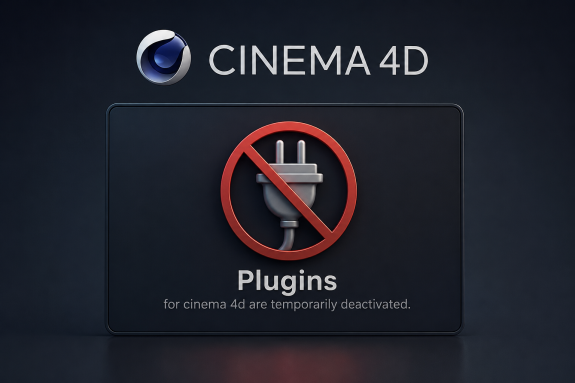
Plugins are temporarily deactivated. Thank you for your understanding!
Creator has disabled comments for this post.

HY4D - New AI plugin for C4D

Generate 3D models using Hunyuan3D directly in Cinema 4D
The system requirements for HY4D plugin:
- supports Cinema 4D 2024.0 and above
- 24 GB VRAM
It takes 10 GB VRAM for shape generation, 21GB for texture generation
Download Hunyuan3D-Shape-v2-1 and Hunyuan3D-Paint-v2-1 from Huggingface or run the first textured shape generation to download automatically.
Enjoy!
PS: All active users of the C4D to ComfyUI plugin receive HY4D plugin for FREE.

001
HY4D.zip.0011000 Mb
002
HY4D.zip.0021000 Mb
003
HY4D.zip.003874.44 Mb
zip
input.zip56.70 Mb
Thank you
hmmm, look like i misunderstood, its not a free plugin if you dont pay 13 $ each month ? the plugin ask for activation.
but its ok if it is that, i can understand.

Prompt Collector (free)

I’m thrilled to share my free Cinema 4D Python Generator script, designed to simplify prompt creation for all skill levels. This tool streamlines workflows by organizing object hierarchies into categories, options, and items, offering an intuitive User Data interface with Quicktab selection, customizable prompts, and a "Copy to Clipboard" feature.
Key features:
-Dynamic Hierarchy Parsing: Seamlessly structures objects for any Cinema 4D scene.
-Interactive Interface: User-friendly dropdowns and checkboxes for prompt customization.
-Prompt Generation & Copy: Builds and copies prompts for scripts or external use.
-Lightweight Design: Returns a null object to keep scenes clean and efficient.
Offered free to the Cinema 4D community, this script supports freelancers, studios, and educators in enhancing their workflows. Download it at [insert download link] and share your feedback or collaboration ideas. Thank you for exploring this tool—I’m excited to see how it boosts your projects!
zip
prompt_collector.zip151.68 Kb

ArchViz Workflow Collection - Vol.1

I am thrilled to introduce ArchViz Workflow Collection - Vol.1, a meticulously curated set of tools and resources designed to streamline and enhance architectural visualization workflows for Cinema 4D (C4D) and ComfyUI users. This collection is crafted to empower artists, designers, and architects to create stunning visualizations with ease and efficiency, leveraging the power of AI-driven workflows.

C4D to ComfyUI (0.1.10) - Release Notes

The system requirements remain the same as for C4D to ComfyUI (0.1.9):
- supports Cinema 4D 2023.2.2 and above
- supports all versions of ComfyUI

What's New in C4D to ComfyUI (0.1.10)
This update introduces several new features to enhance the workflow. It now supports the Preview Method (Auto) for streamlined visualization and includes Spline - Canny (Sketch) for advanced sketch-based spline processing. Additionally, the update adds the 'Draw Mask' tool, which comes with support for Undo, Erase, and adjustable Brush Size, offering greater flexibility and precision in mask creation and editing.
New features
Interactive - Preview Method (Auto)
Render - Spline - Canny (Sketch)
Tools - 'Draw Mask' Tool with Undo, Erase and Brush Size

Modified features
Menu Bar - Open Workflow in ComfyUI (WIP)
Pipeline - Text-Image-ControlNet-to-Image folder
Pipeline - Native and Custome Prefix
note: it’s recommended to delete the pipeline templates folder. Follow these steps: Open the Plugin, click "Settings" in the Menu Bar, navigate to the Open Preferences Folder, delete the "pipeline_templates" folder, and restart the Plugin
Context menu (RMB) - added Copy as path
Bug fixes
- Fixed the issue arises because the mouse coordinates are not properly adjusted for the docked state, especially when the plugin is pinned to the right half of the interface in split mode.
Subscription levels0
No subscription levels
Go up