
Crystallize Pointer
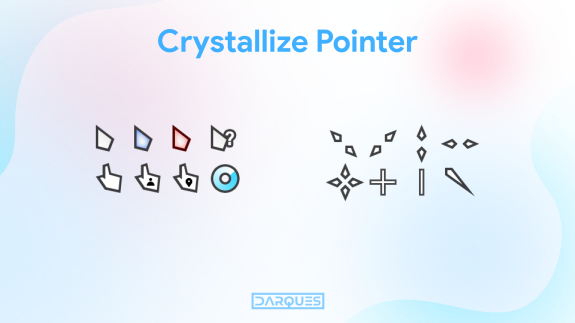
Minimalistic cursor, suitable for almost any Windows theme. I hope you like it.
What You Get:
• Crystallize Pointer White
• Crystallize Pointer Black
• Crystallize Pointer Old Version
• PNG files
What You Get:
• Crystallize Pointer White
• Crystallize Pointer Black
• Crystallize Pointer Old Version
• PNG files
How to Install:
• Open .zip file with WinRAR or 7Zip.
• Move folder with files on desktop or wherever you want.
• Open it, right click on Install.inf file and select the Install option.
• Go to [Control Panel > Mouse > Pointers] or [Settings > Personalization > Themes > Mouse Cursor > Pointers]
• Open .zip file with WinRAR or 7Zip.
• Move folder with files on desktop or wherever you want.
• Open it, right click on Install.inf file and select the Install option.
• Go to [Control Panel > Mouse > Pointers] or [Settings > Personalization > Themes > Mouse Cursor > Pointers]
• Select the Cursor in the Scheme menu.
DOWNLOAD - Crystallize Pointer
pointer
cursor
cursors
design
interface
windows
themes
crystal
